PostgreSQL Integration
Connect a PostgreSQL database to Metaustral and automatically catalog its tables, views, columns, and foreign-key relationships.
Prerequisites
- PostgreSQL 11+ reachable from the Metaustral cloud — or use the On-Premise Agent for private networks.
- A PostgreSQL user with
CONNECTon the target database andUSAGEon the schema(s) to introspect. - Port
5432accessible from Metaustral. - Starter, Pro, or Enterprise plan.
How to connect
Open Integrations and click + New connection
Select PostgreSQL as the type
Fill in the connection details
Enter the host, database name, username, and password. Click Save.
Import metadata via Import → From a connection
Go to Import → From a connection, select this connection, browse schemas and tables, and click Confirm import.
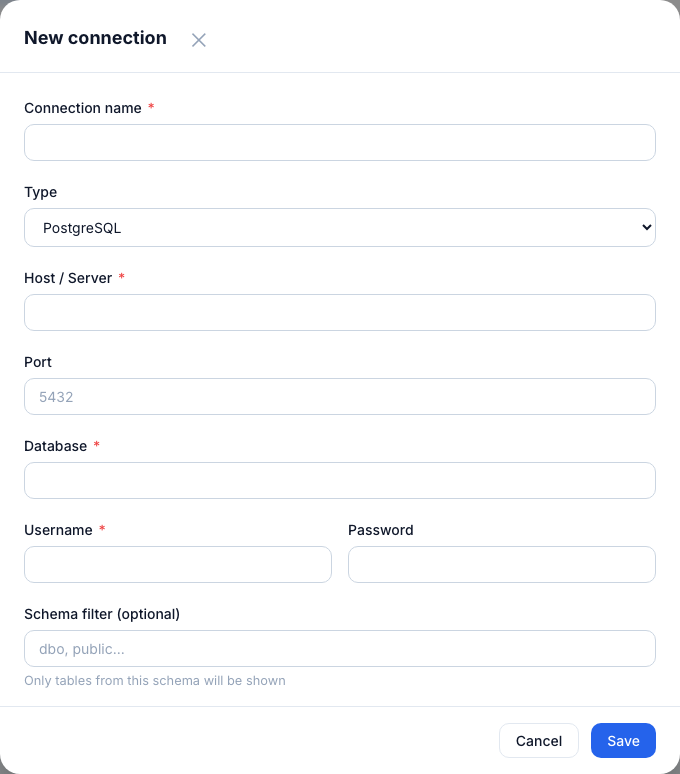
PostgreSQL connection form — host, database, username, and password.
Connection fields
| Field | Required | Notes |
|---|---|---|
| Connection name | Yes | Display label in Metaustral. |
| Host | Yes | IP address or hostname of your PostgreSQL server. |
| Port | Yes | Default: 5432. |
| Database | Yes | The database to introspect. The user must have CONNECT on it. |
| Username | Yes | PostgreSQL user with CONNECT on the database and USAGE on the target schema(s). |
| Password | Yes | Stored encrypted with Fernet — never readable in plain text. |
| Schema filter | No | Comma-separated schema names. If blank, all accessible schemas are shown. |
Tip: Grant minimal privileges with
GRANT CONNECT ON DATABASE mydb TO metaustral_ro; GRANT USAGE ON SCHEMA public TO metaustral_ro;