MySQL Integration
Connect a MySQL or MariaDB database to Metaustral and automatically discover tables, views, columns, and foreign-key relationships.
Prerequisites
- MySQL 5.7+ or MariaDB 10.3+ reachable from the Metaustral cloud — or use the On-Premise Agent for private networks.
- A MySQL user with
SELECToninformation_schemafor the target database. - Port
3306open to inbound connections from Metaustral's IP ranges. - Starter, Pro, or Enterprise plan.
How to connect
Open Integrations and click + New connection
Select MySQL as the type
The form shows: host, database, username, and password. No port field is shown (MySQL always uses 3306).
Fill in credentials and save
Enter the connection name, host, database name, username, and password. Click Save.
Import metadata via Import → From a connection
Go to Import → From a connection, select this connection, browse schemas and tables, and click Confirm import.
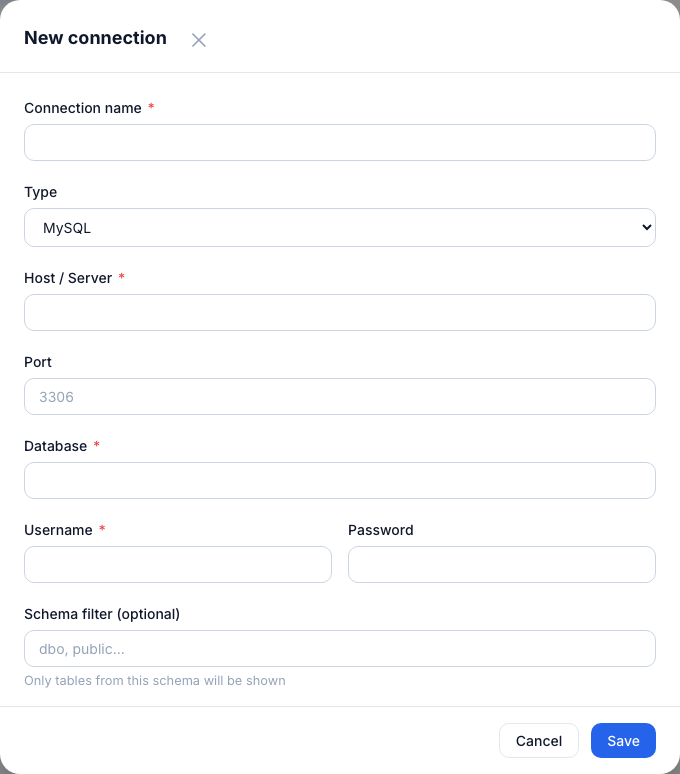
MySQL connection form — host, database name, username, and password.
Connection fields
| Field | Required | Notes |
|---|---|---|
| Connection name | Yes | Display label in Metaustral. |
| Host | Yes | IP address or hostname of your MySQL server. |
| Port | Yes | Default: 3306. |
| Database | Yes | The database to introspect. Must exist and be accessible to the user. |
| Username | Yes | MySQL user with SELECT on information_schema. |
| Password | Yes | Stored encrypted with Fernet — never readable in plain text. |
Tip: Use a dedicated read-only MySQL user:
GRANT SELECT ON information_schema.* TO 'metaustral_ro'@'%';