18. On-Premise Agent
A desktop application that bridges your private-network databases with Metaustral and runs local data workflows as a Data Orchestrator. Available on all plans.
18.1 Overview
The Metaustral Agent is a desktop application that runs on any machine inside your private network. It has two core capabilities:
- Metadata Sync (Transfer Connections) — connects to on-premise databases, discovers schema metadata (tables, views, columns, data types), and pushes it to your Metaustral catalog automatically on a schedule.
- Data Orchestrator — executes local data transformation workflows and jobs entirely within your private network, without sending your data to the cloud.
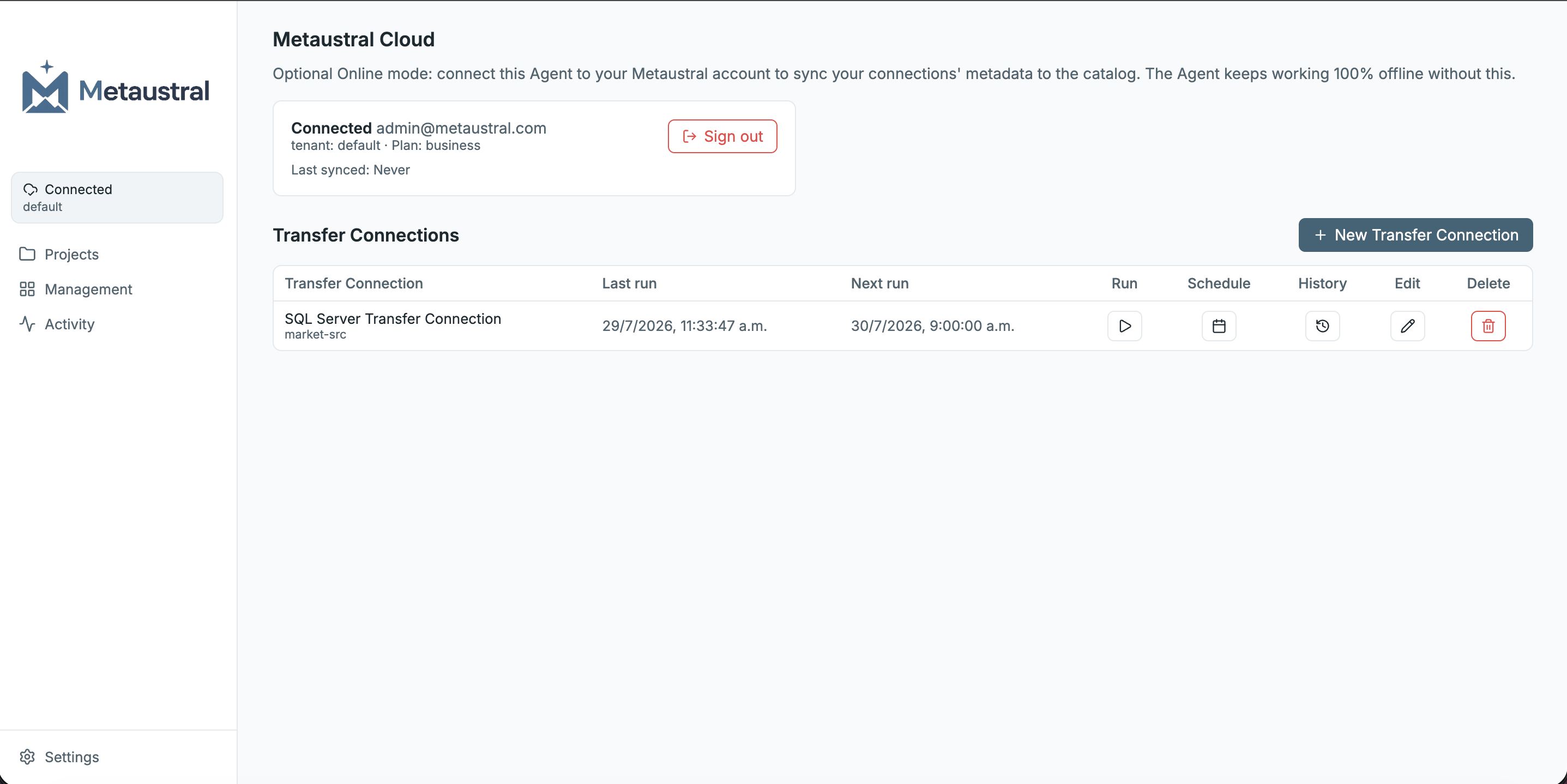
18.2 Transfer Connections — Automatic Metadata Sync
A Transfer Connection is a configured link between a local database and your Metaustral workspace. Once set up, the agent syncs metadata on the schedule you define — no manual action required.
Download and launch the agent
Download the latest release from github.com/Metaustral/metaustral-agent/releases. Double-click the downloaded app to launch it — no installation required.
Connect to your Metaustral workspace
In the agent, go to Settings → Cloud Link. Enter your Metaustral workspace URL, your email, and an API key generated from Workspace → On-Premise Agent → API Keys.
Add a database connection
Go to Management → Connections → New connection in the agent. Select the database type (SQL Server, MySQL, PostgreSQL, SQLite, etc.) and enter your local credentials. The agent tests the connection before saving.
Create a Transfer Connection
Go to Transfer Connections → New. Select the database connection, choose a sync schedule (e.g. every hour, daily), and save. The first sync runs immediately and subsequent ones follow the schedule.
View metadata in Metaustral
Each sync run appears in Workspace → On-Premise Agent → Sync History with its status (Success / Partial / Failed) and a detail view showing which assets were created, updated, or skipped. Synced tables and views appear in your catalog immediately.
18.3 Data Orchestrator
Beyond metadata sync, the Metaustral Agent works as a full Data Orchestrator: it can run data transformation workflows and scheduled jobs entirely within your private network. This is useful for:
- Running ETL/ELT pipelines that access sensitive data that must not leave the network.
- Scheduling data transformations that depend on on-premise sources.
- Building automation pipelines that combine local databases with cloud data sources.
- Executing data quality checks on private infrastructure.
Projects
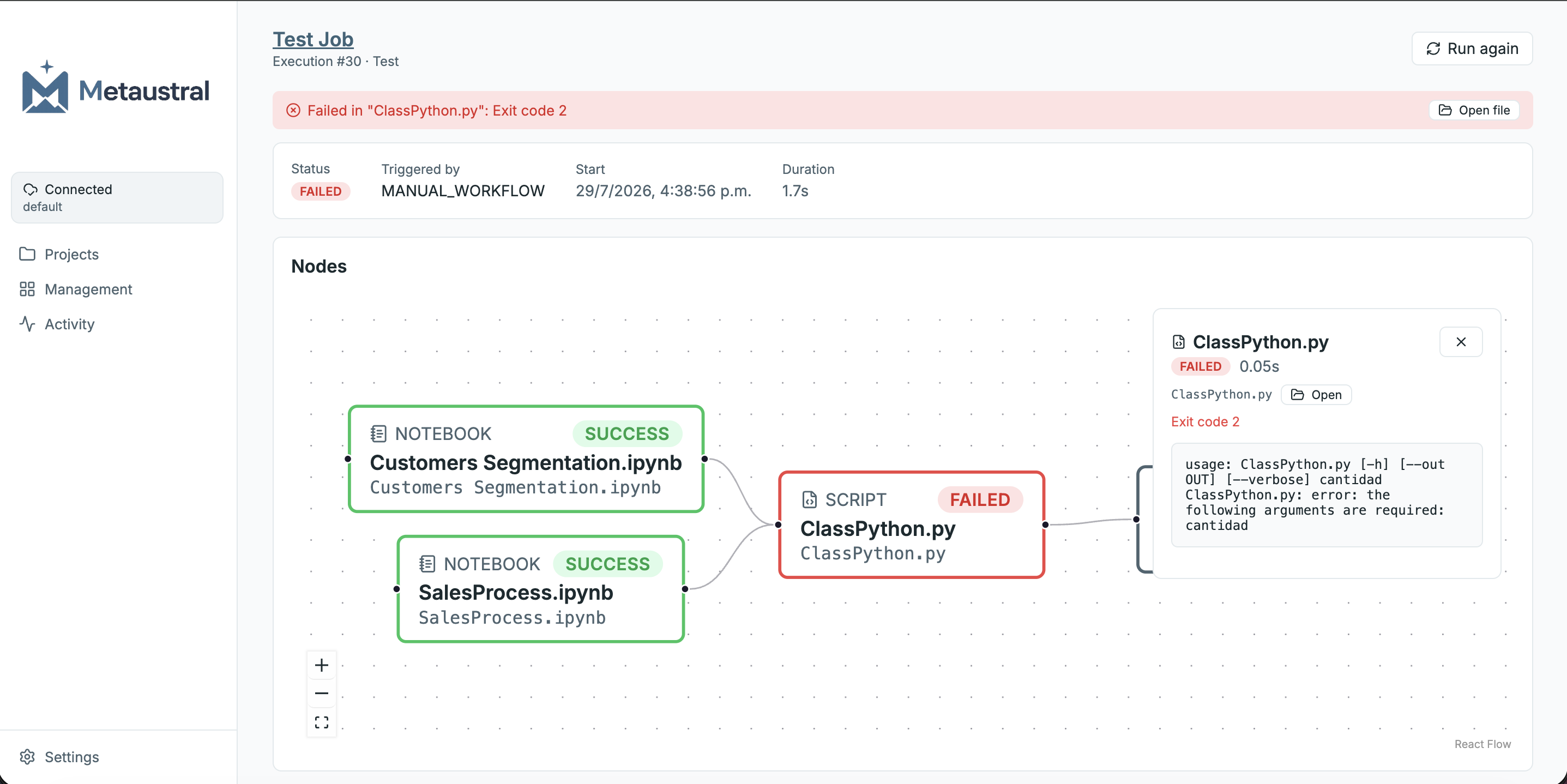
A Project is a local folder on your machine that the agent indexes and manages. Each project is linked to a Python environment (an isolated virtualenv with its own packages) so that different projects can have different dependencies without conflict. Projects can also reference SQL connections created in the Management tab, making it straightforward to query on-premise databases directly from notebooks or scripts.
From the Explorer tab inside a project you can browse all .py, .ipynb, and .sql files in the folder. Each file can be opened in its editor or run standalone with a single click. To run a file on a recurring schedule it must be added to a Job.
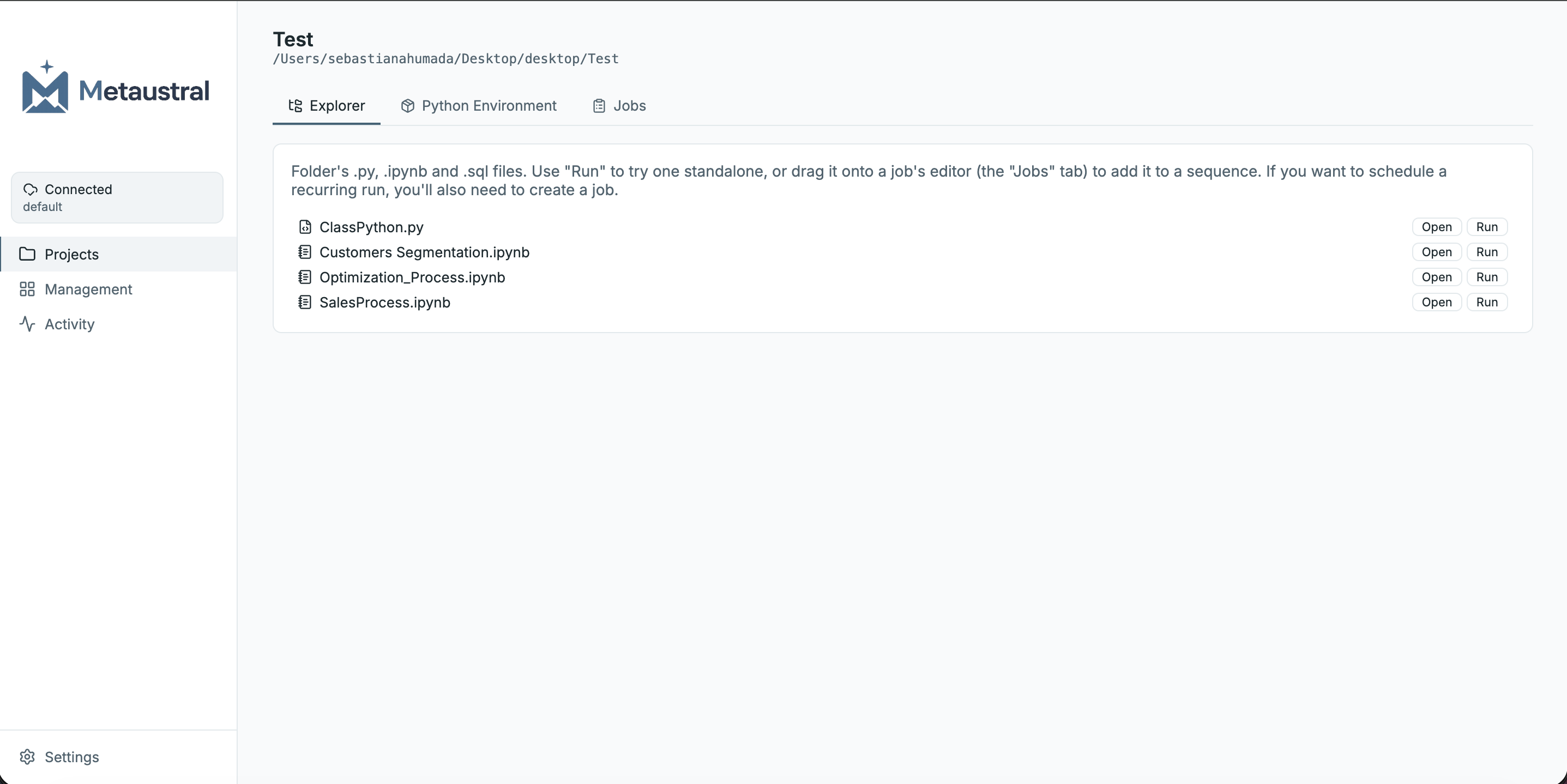
Jobs — Visual Canvas & Scheduling
A Job is a workflow created inside a project that defines which scripts and notebooks to run, in what order, and when. Jobs are built on a visual canvas: drag any file from the project as a node, connect nodes in sequence (or in parallel), and configure parameters, retries, timeouts, and failure policies per node. Jobs can be scheduled to run daily, weekly, or monthly.
Supported node types are Python Script, Notebook, SQL, and Wait. Each node can receive input parameters that are passed at runtime — useful for date ranges, thresholds, or environment-specific values.
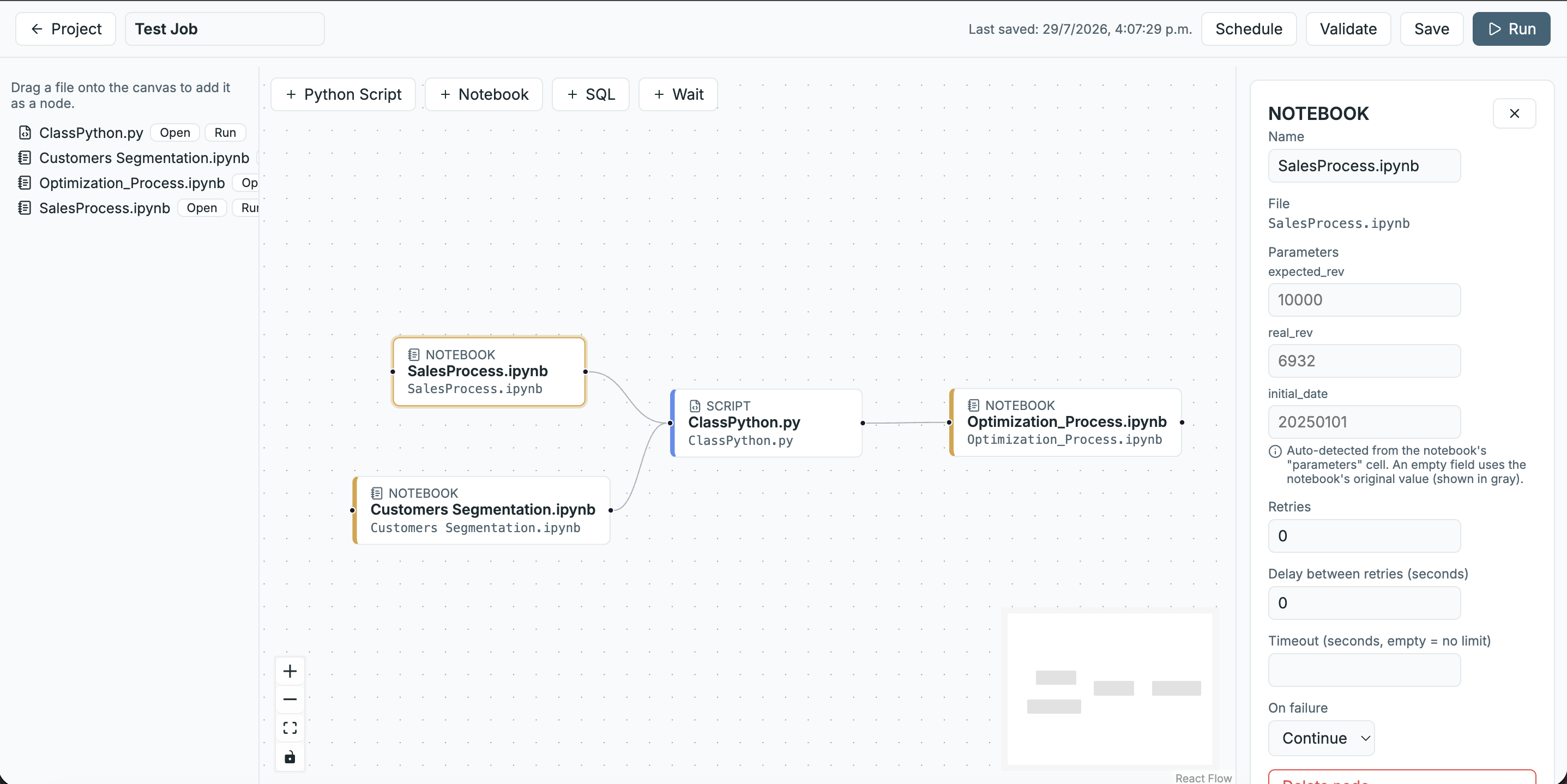
Run History & Error Tracking
Every job execution is recorded with a full audit trail: trigger type (manual, scheduled), start time, total duration, and per-node status. If a node fails, the execution detail view highlights it on the canvas in red and shows the exact error output — making it easy to identify which step broke and why without digging through log files.
From the detail view you can also Run again the job with the same parameters, or open the failed file directly in its editor to fix it.
18.4 Architecture
Agent runs inside the private network. Transfer Connections push only metadata outbound. The Data Orchestrator keeps all data local.
18.5 Security
- Outbound-only: the agent initiates outbound HTTPS requests to Metaustral's API. No inbound firewall ports need to be opened.
- Metadata-only sync: Transfer Connections read only schema definitions (table names, column names, data types) — never actual row data.
- Data stays local: the Data Orchestrator executes workflows inside the private network; data never leaves unless you explicitly configure an outbound destination.
- Credential isolation: database credentials are stored locally in the agent and are never transmitted to Metaustral.
- Encrypted transport: all communication between the agent and Metaustral uses TLS 1.2+.
18.6 Download
Download the latest version of the Metaustral Agent for your operating system from the GitHub releases page: