12. ERD Diagrams
Visualize foreign-key relationships between tables as auto-generated entity-relationship diagrams.
12.1 What is an ERD?
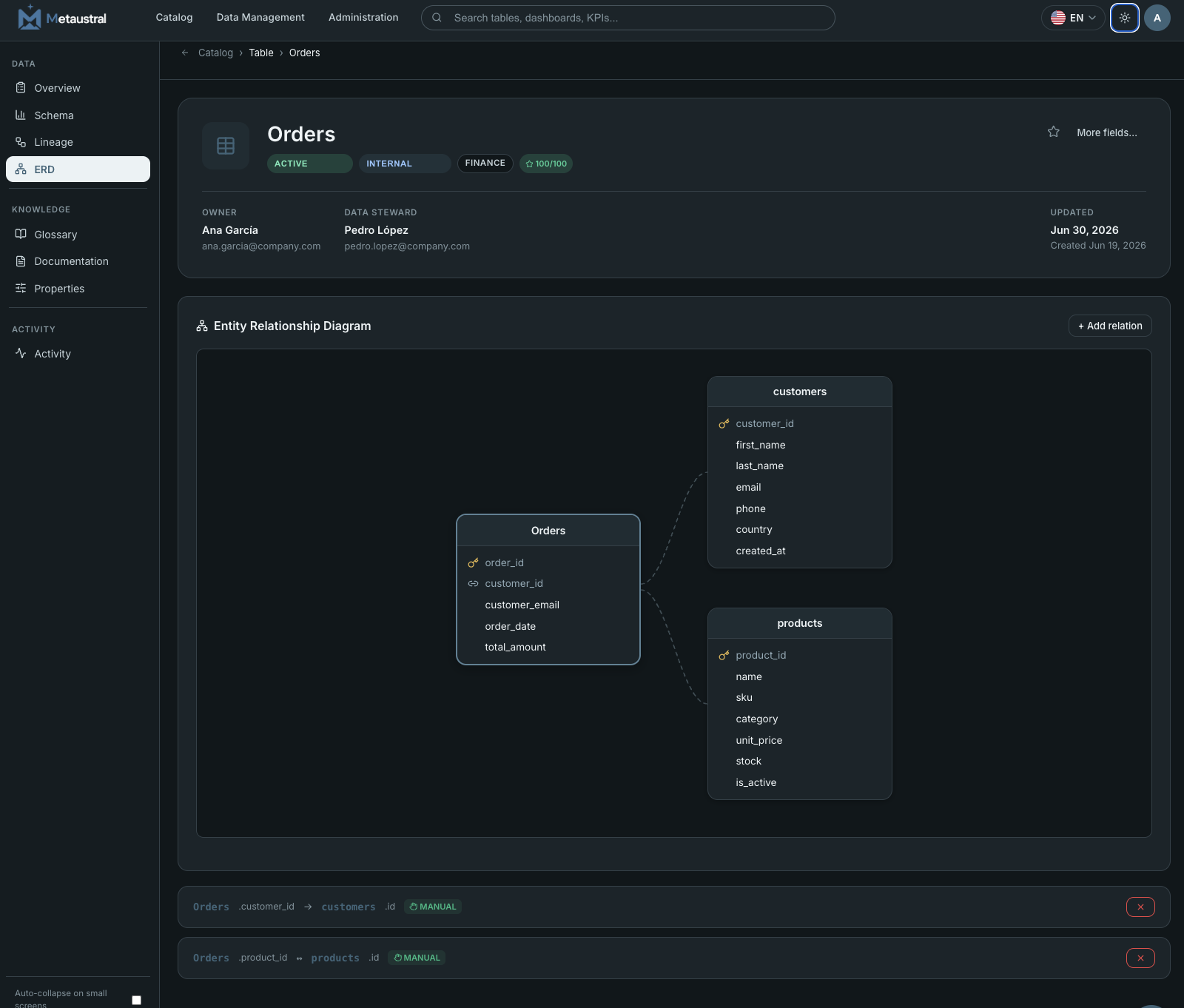
An Entity Relationship Diagram (ERD) shows how database tables are connected through foreign-key constraints. It answers questions like "Which tables reference the customers table?" or "What does the orders schema look like structurally?" An ERD is the fastest way to onboard new team members on a database schema and to document the data model for compliance or architecture review.
12.2 ERDs in Metaustral
ERD diagrams appear on the detail page of TABLE assets only — as a dedicated ERD tab between Lineage and Glossary. Relations are stored in a separate erd_relations table, independent of the lineage graph, so adding or deleting ERD edges never affects your lineage data.
12.3 Automatic FK Detection
When you import tables from a connected database, Metaustral automatically detects foreign-key constraints and creates ERD relations for them. Detected relations are marked with an AUTO badge. Detection is supported for:
- SQL Server — via
sys.foreign_key_columns - MySQL — via
INFORMATION_SCHEMA.KEY_COLUMN_USAGE - PostgreSQL — via
information_schema.table_constraints
12.4 Manual Relations
Editors and admins can add relations manually from the ERD tab. Click + Add relation, search for the related table, optionally specify the FK and PK column names, choose a cardinality type (many-to-one, one-to-many, one-to-one, many-to-many), and optionally add a label. Manually added relations are marked with a MANUAL badge and can be deleted at any time.