Built for growing data teams

Build your own
data catalog
in 5 minutes

Document, organize and discover all your company's data assets — tables, dashboards, KPIs and more — without complexity, at an affordable price.
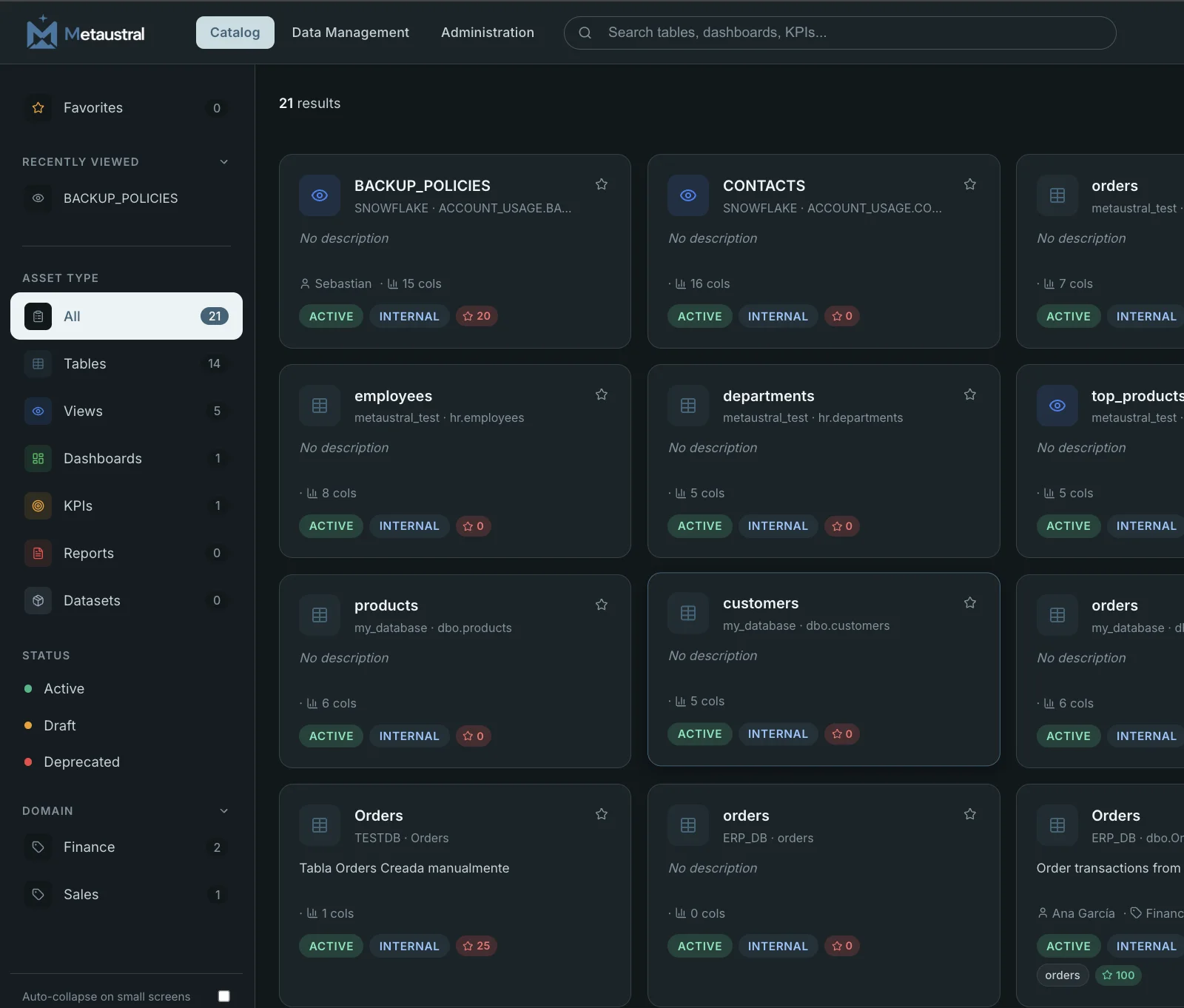
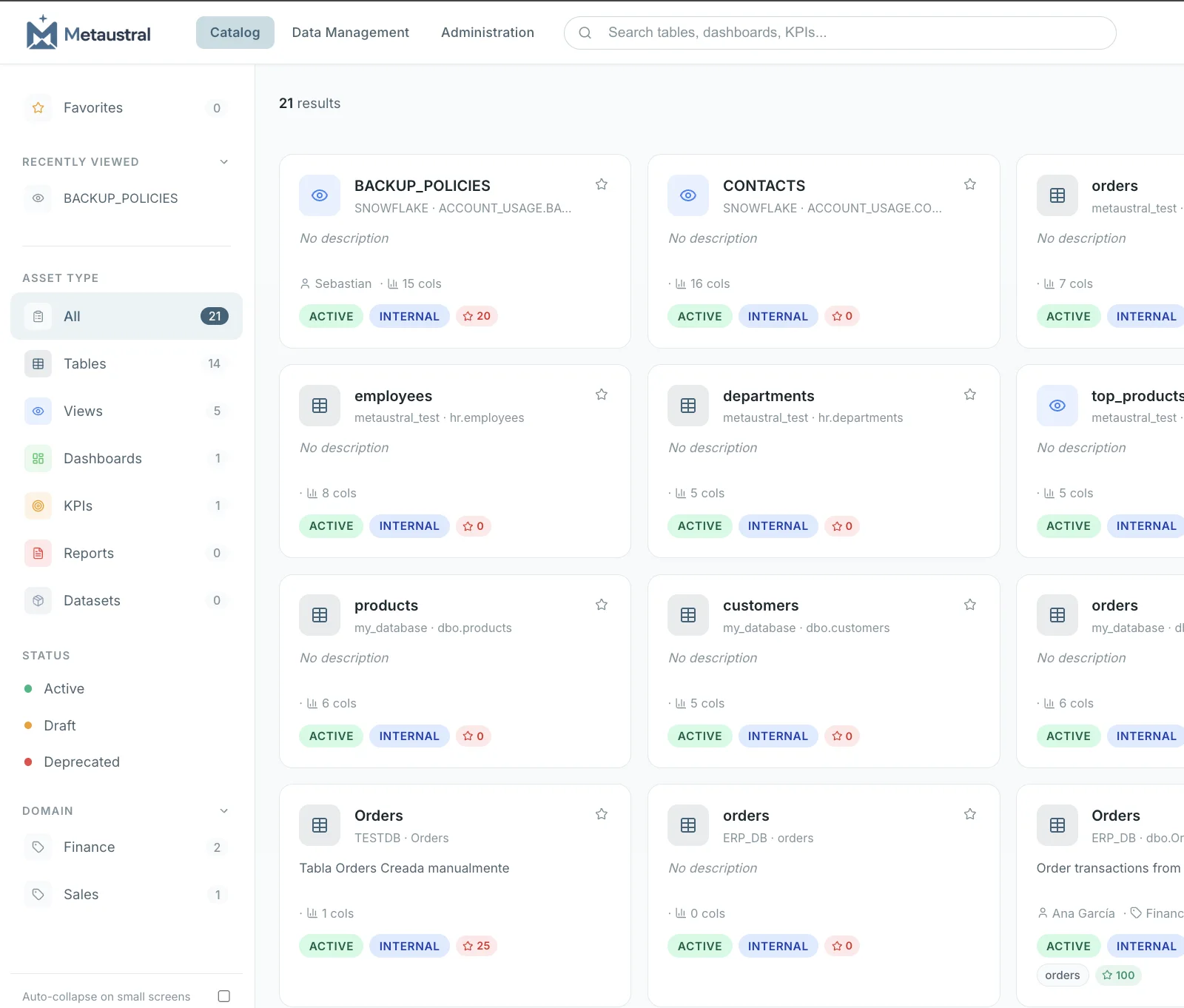
Metaustral data catalog
One catalog for every data asset your team needsTables, dashboards, KPIs and reports — organized, searchable and always up to date.
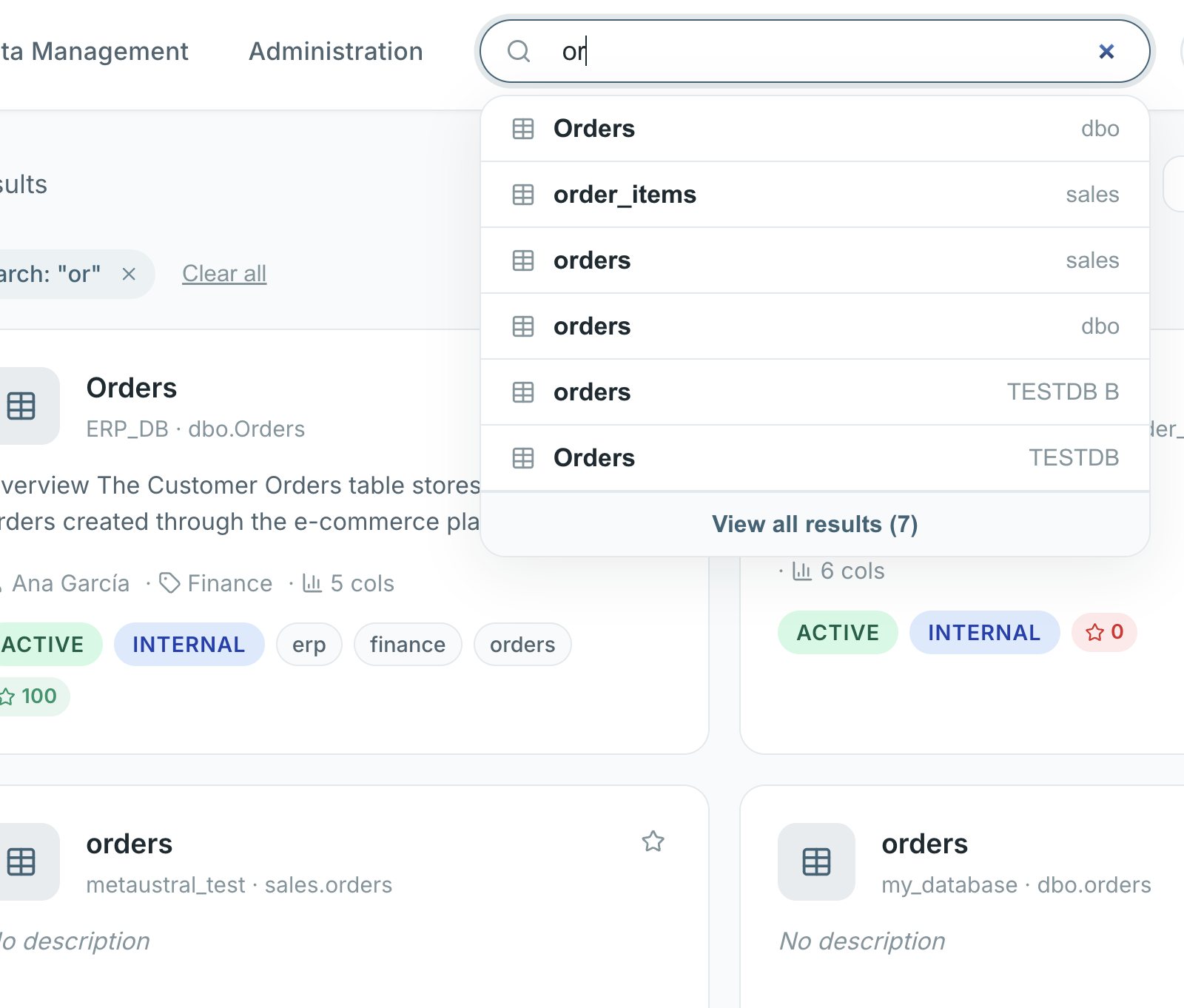
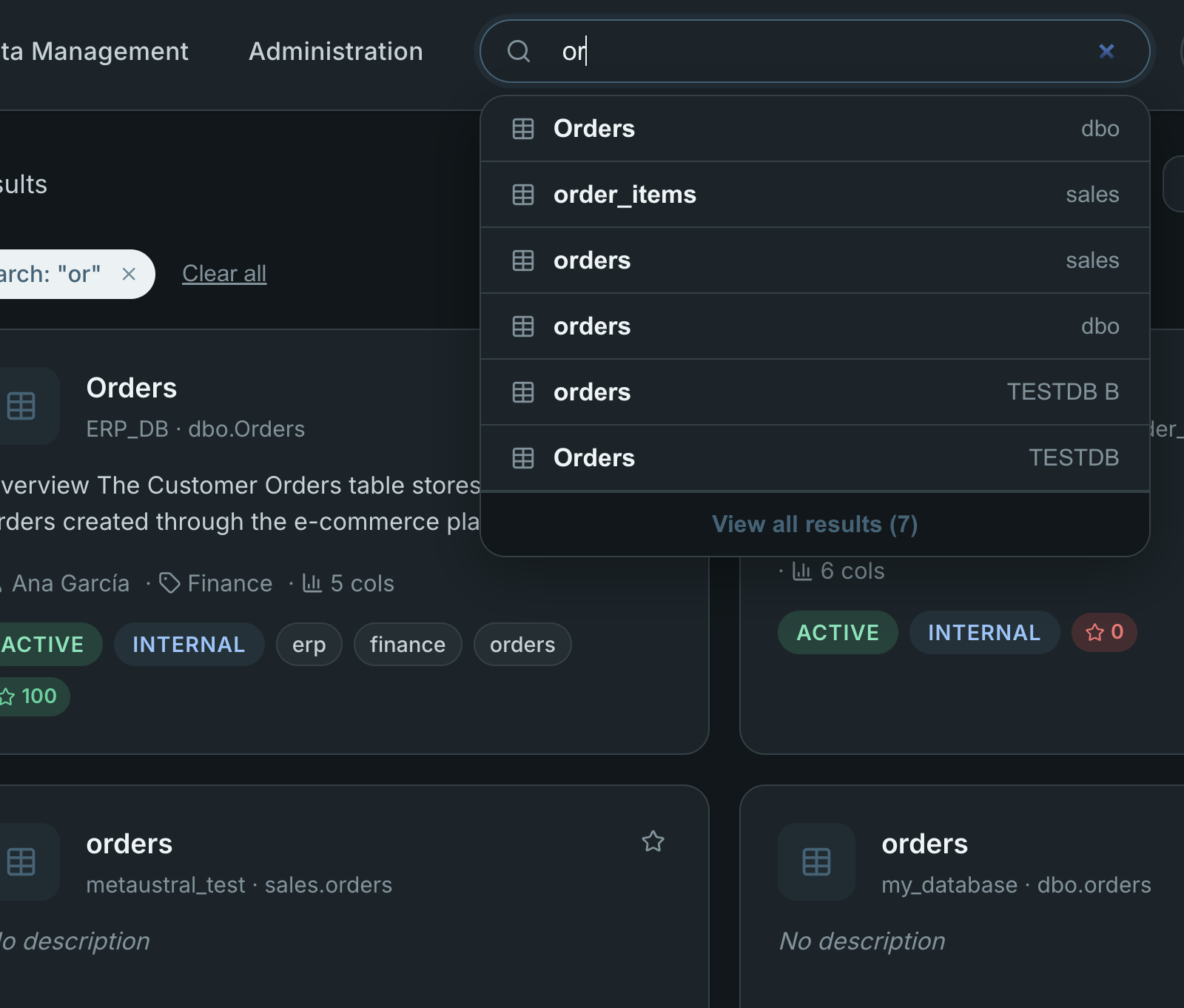
Metaustral instant search
Find what you need in seconds, not hoursReal-time search across your entire catalog. No spreadsheets. No asking around.
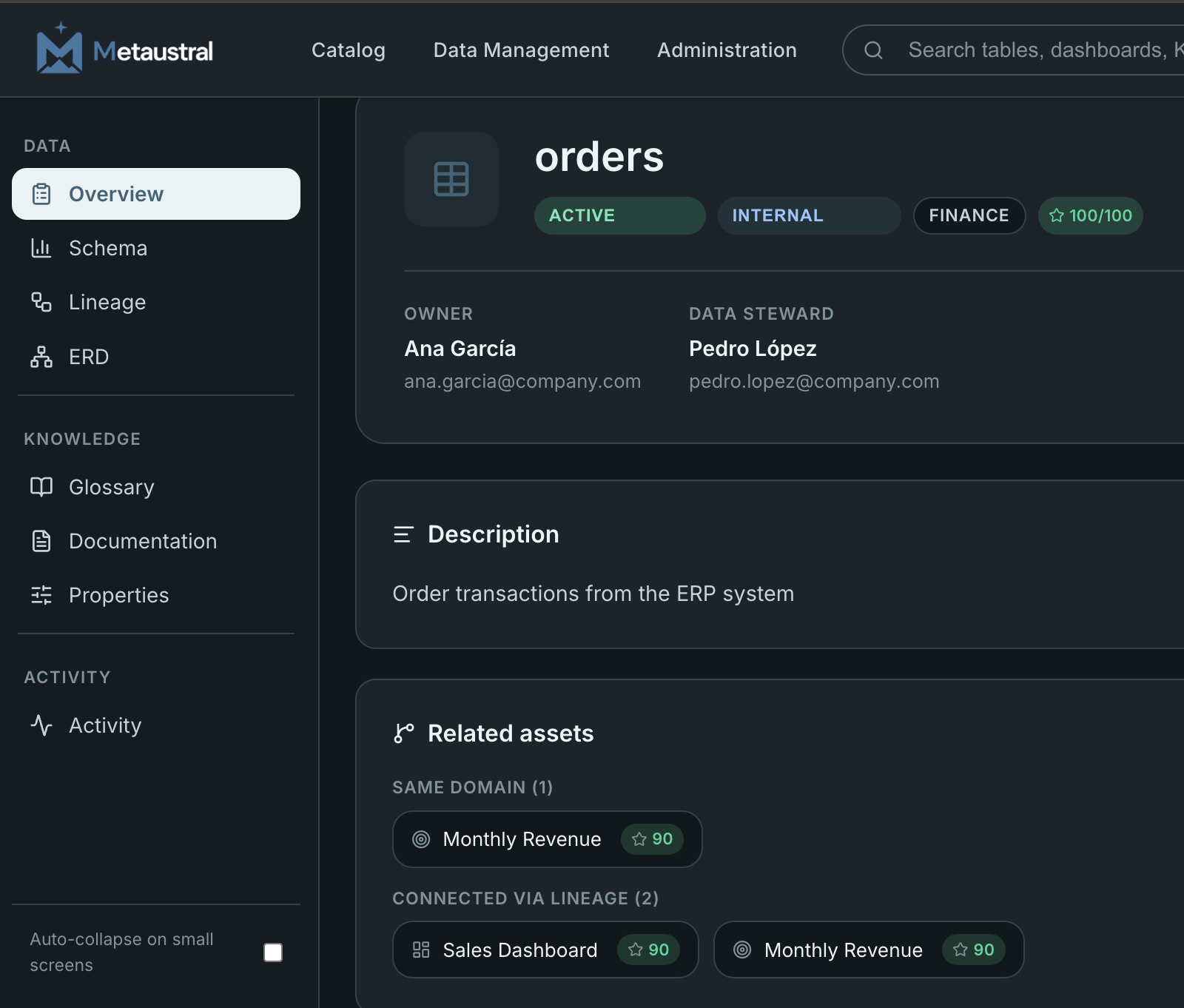
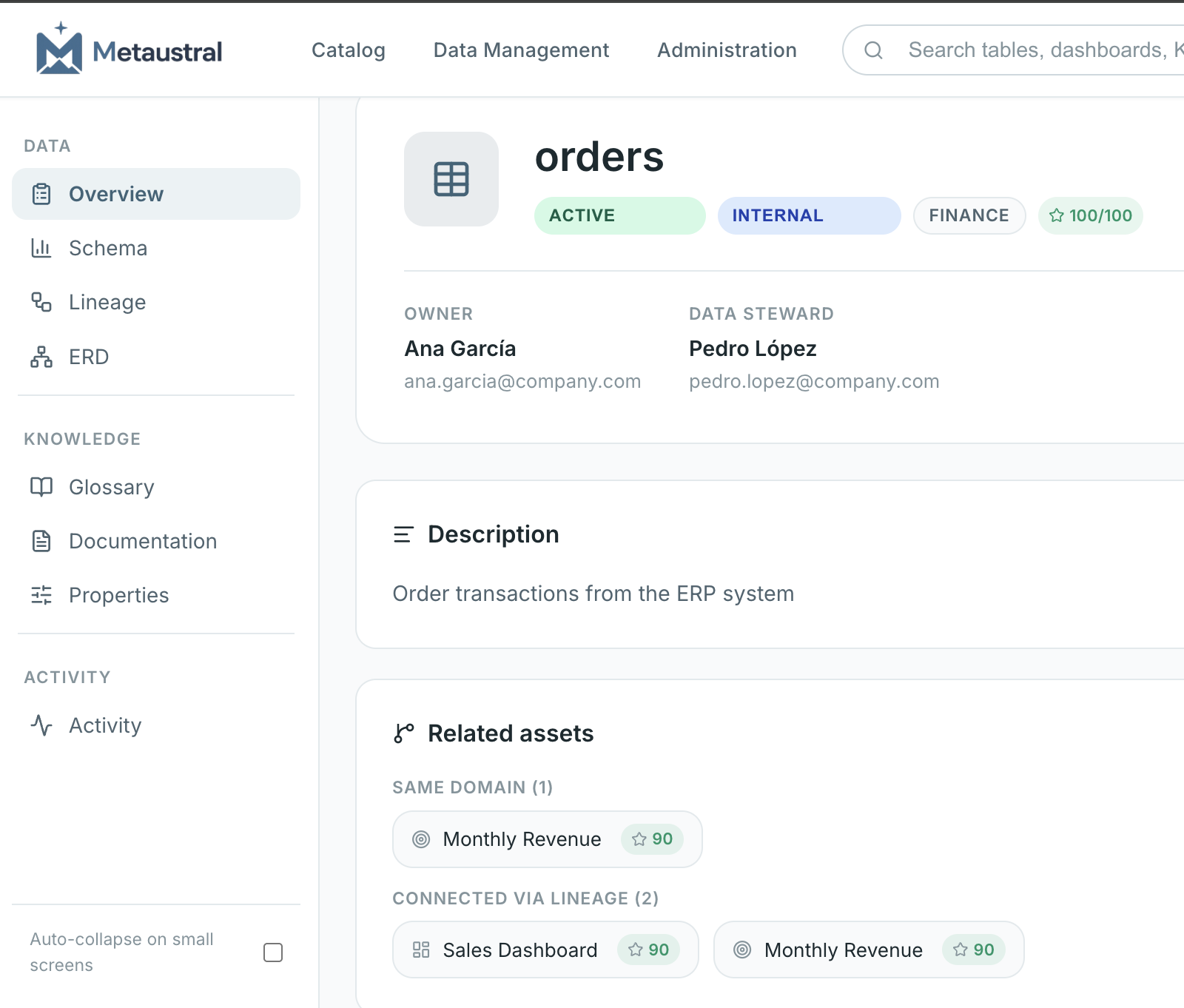
Metaustral asset detail
Full context behind every data assetOwner, steward, description, related assets and a quality score — all in one view.
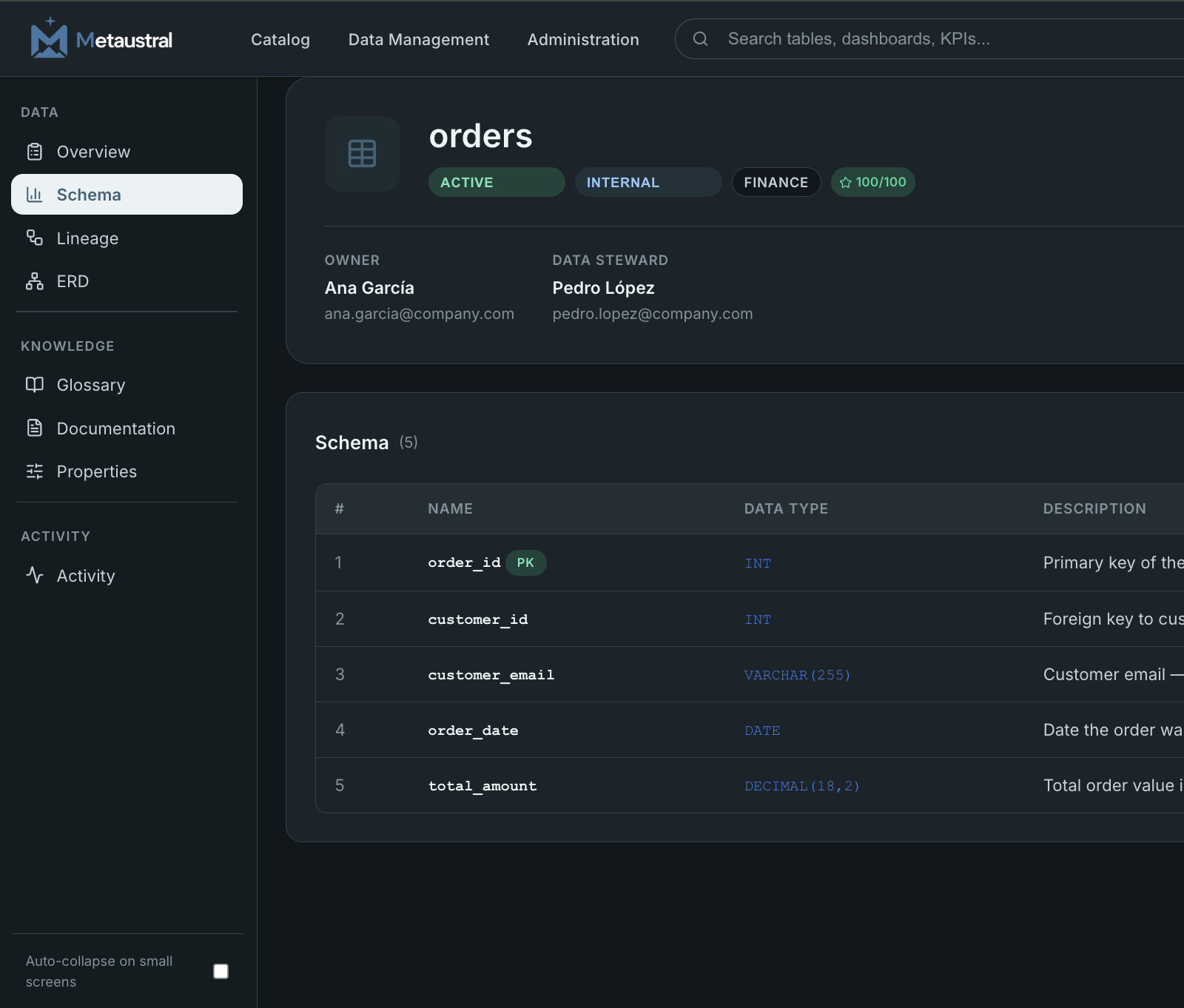
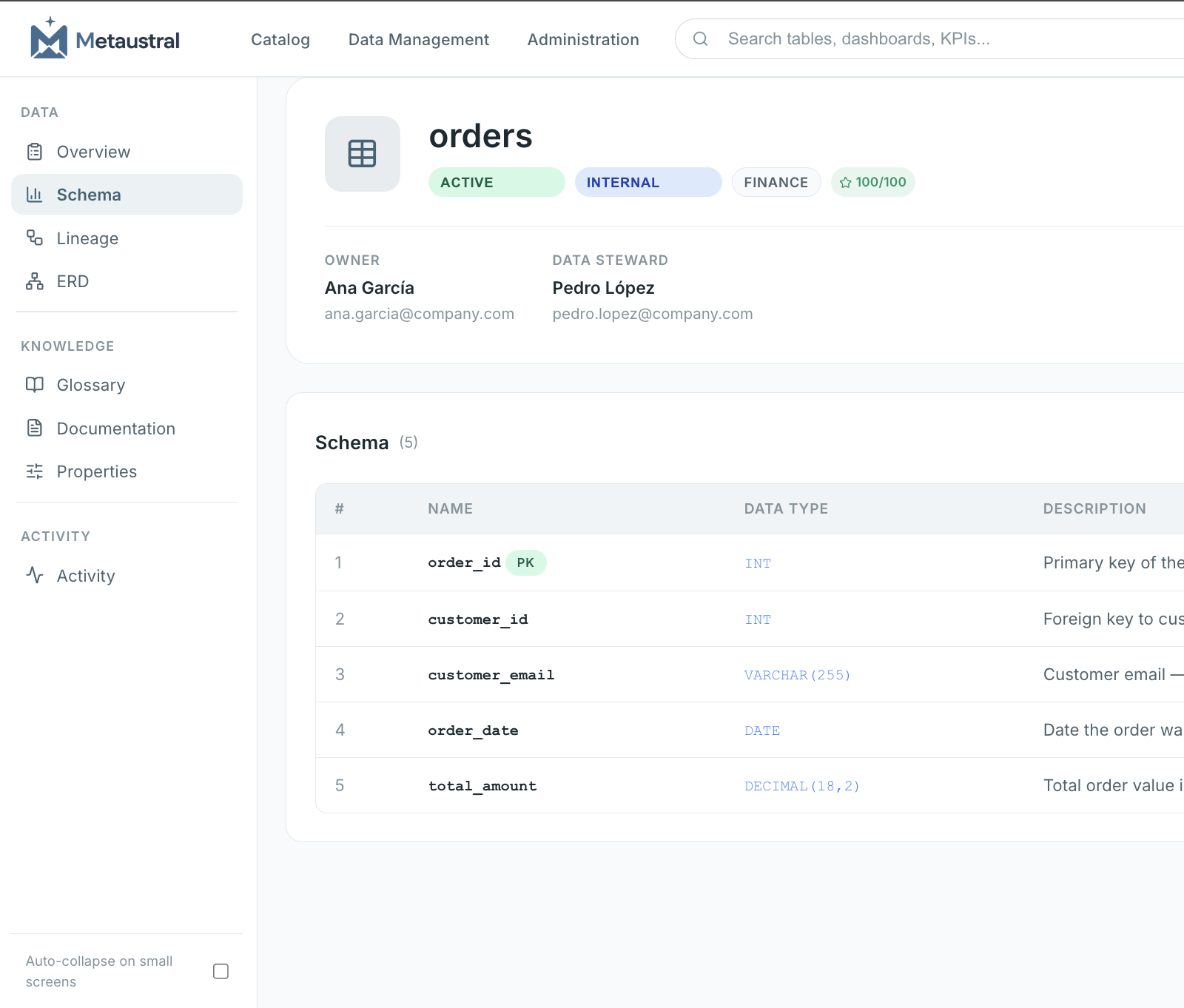
Metaustral schema documentation
Your data structure, documented to the last columnColumn types, primary keys, PII flags and descriptions — auto-catalogued on import.
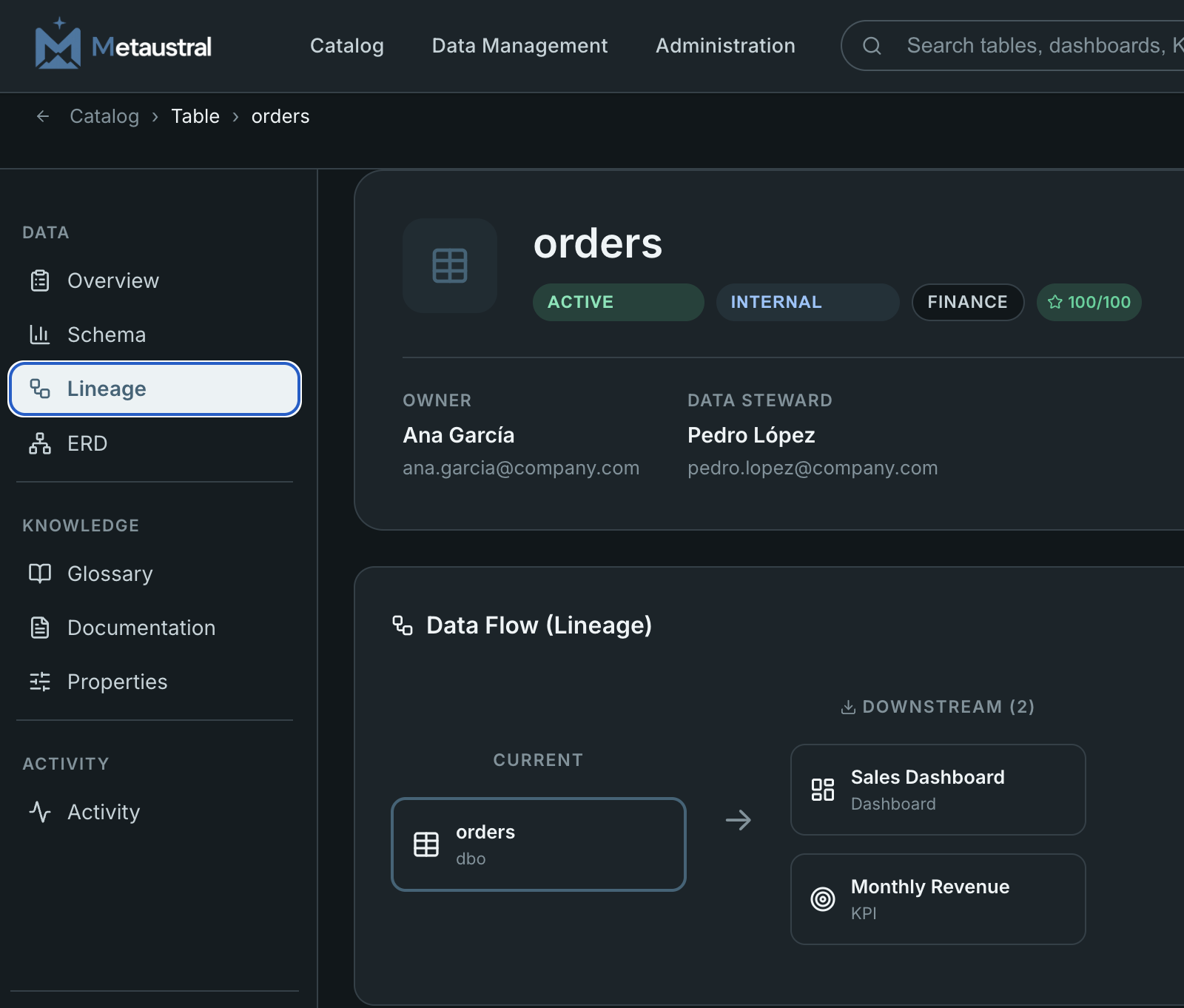
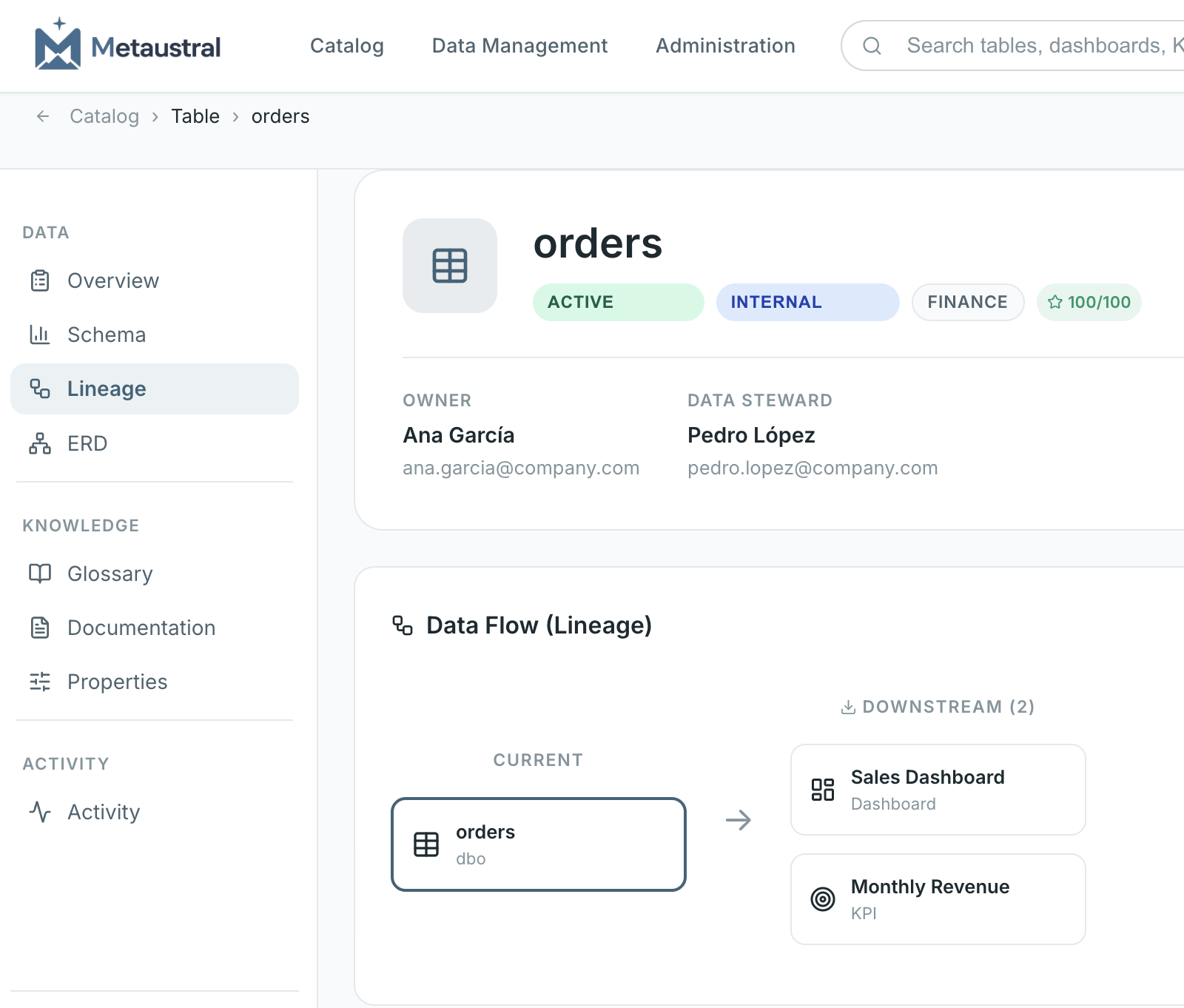
Metaustral data lineage
Know exactly how your data flowsTrace every upstream source and downstream dependency across your ecosystem.
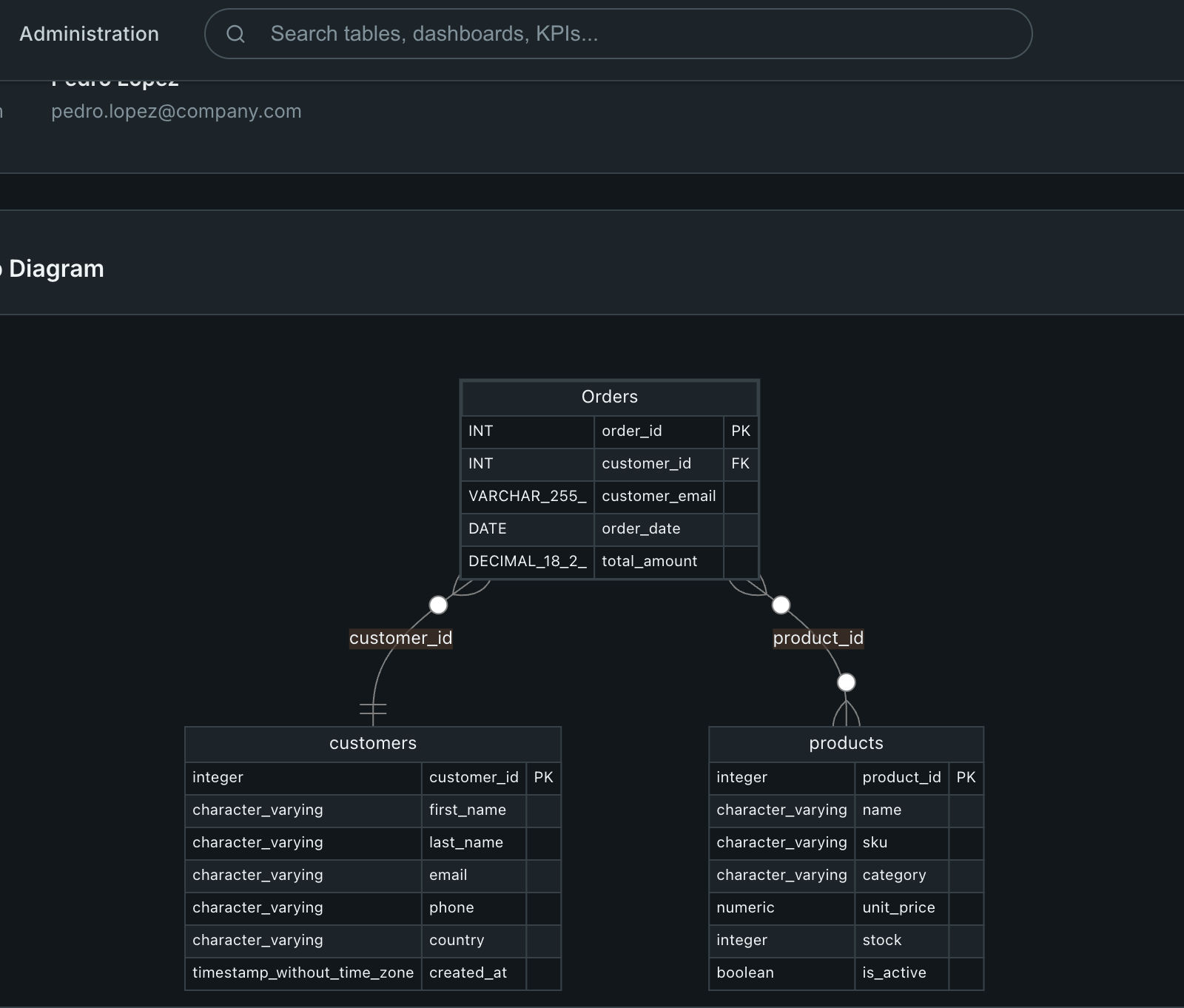
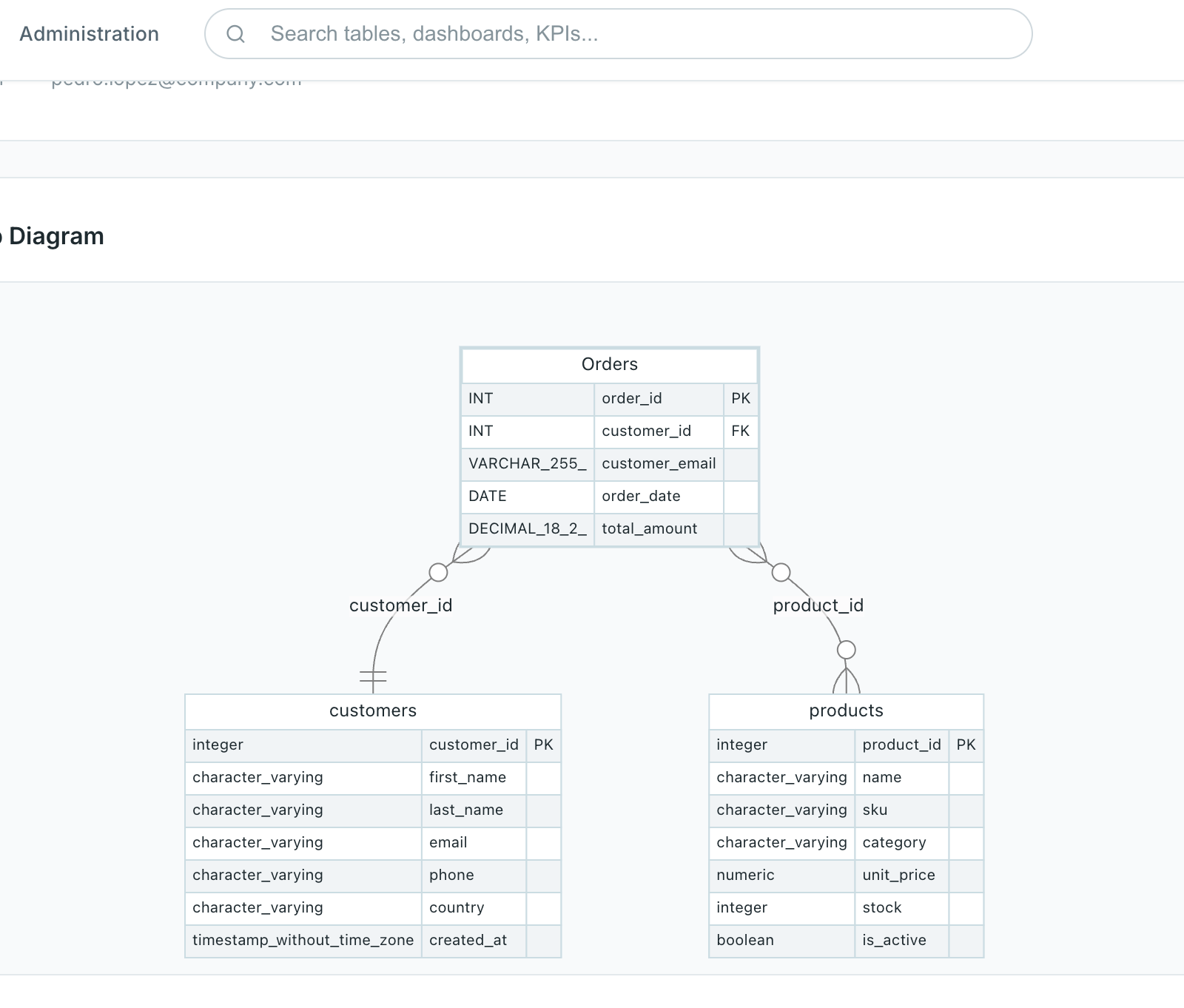
Metaustral ERD diagram
Understand how your tables connectAutomatically generated ER diagrams reveal dependencies at a glance.
Metaustral data catalog
One catalog for every data asset your team needsTables, dashboards, KPIs and reports — organized, searchable and always up to date.
Metaustral instant search
Find what you need in seconds, not hoursReal-time search across your entire catalog. No spreadsheets. No asking around.
Metaustral asset detail
Full context behind every data assetOwner, steward, description, related assets and a quality score — all in one view.
Metaustral schema documentation
Your data structure, documented to the last columnColumn types, primary keys, PII flags and descriptions — auto-catalogued on import.
Metaustral data lineage
Know exactly how your data flowsTrace every upstream source and downstream dependency across your ecosystem.
Metaustral ERD diagram
Understand how your tables connectAutomatically generated ER diagrams reveal dependencies at a glance.

Why Metaustral?

Everything your team needs to stop losing data context — without the enterprise-tool complexity.

Data lineage

Visualize data flow between assets and understand your ecosystem dependencies.

Classification & tags

Organize assets by domain, sensitivity, owner and custom tags.

Business Glossaries

Define shared terms and definitions and link them directly to your catalog assets.

Multi-user

Admin, editor and viewer roles so each team accesses only what they need.

Simple interface

Clean design in light and dark mode, with no learning curve.

Secure & isolated

Each company only accesses its own data. Encrypted at rest.

How it works

From raw data to documented catalog, in three steps.

1

Connect

From databases to BI tools and spreadsheets — with new integrations added regularly.

2

Discover

We scan your schemas and surface tables, views and columns ready to import with one click.

3

Document & share

Add context, tags and owners, then share a searchable catalog with your whole team.

WORKS WITH YOUR STACK
SQL Server SQL Server
PostgreSQL PostgreSQL
MySQL MySQL
Snowflake Snowflake
BigQuery BigQuery
Databricks Databricks
Power BI Power BI
Tableau Tableau
Excel Excel

All connect with live auto-discovery, except Excel — imported in bulk via our Import Wizard.

Simple, transparent pricing

No surprises. Cancel anytime. Prices in USD per company/month.

Start for free — no credit card required. Get started free

Free
$0 / month

Try Data Catalog at no cost — no credit card, no commitment.

  • Up to 20 data assets
  • 1 admin user
  • Manual asset creation
  • Import Wizard (bulk Excel import)
  • No database connections
Get started free
Starter
$ 29 .99 / month

Perfect for small teams taking their first steps in data management.

  • Up to 300 data assets
  • 3 users included
  • Manual asset creation
  • Import Wizard (bulk Excel import)
  • Automatic discovery
  • Email support
  • 1 database connection
Get started with Starter
Enterprise
$ 199 .99 / month

For organizations that want to go further with AI applied to data.

  • Unlimited data assets
  • Unlimited users
  • Manual asset creation
  • Import Wizard (bulk Excel import)
  • Automatic discovery
  • Unlimited database connections
  • Audit history
  • Dedicated support
  • AI module
  • On-premise agent
Get started with Enterprise

Secure payments via Polar — cancel anytime.

Frequently asked questions

Everything you need to know before getting started.

A data catalog is an organized inventory of all your company's information assets: tables, views, dashboards, KPIs, reports and datasets. It allows anyone on the team to understand what data exists, what it means, who owns it, and how it is related.
Simply configure your database credentials from the admin panel. The system connects securely, reads available schemas and shows you the tables and views you can import to the catalog with one click, including their columns and data types. Supported engines: SQL Server, MySQL, PostgreSQL, Snowflake, BigQuery and Databricks.
It depends on your plan: Free includes 1 admin user, Starter up to 3, Pro up to 30, and Enterprise has no user limit. Each user can have a different role: administrator (manages everything), editor (creates and edits assets) or viewer (read-only).
Yes. Each company has its own isolated space: only you and the users you authorize can see your data. Database connection passwords are encrypted before being saved. The catalog only stores metadata (table names, columns, descriptions), never the actual content of your databases.
Yes. You can upgrade or downgrade your plan at any time. If you downgrade and have more assets than the new plan allows, existing ones are not deleted but you won't be able to create new ones until you're within the limit.
We currently support SQL Server, MySQL, PostgreSQL, Snowflake, BigQuery and Databricks for automatic discovery. Any data asset (dashboards, KPIs, reports, datasets) can be manually documented regardless of the engine you use.
Yes, with the on-premise agent available exclusively on the Enterprise plan. It is a lightweight Python script you install on your internal network: it connects to your local database, discovers the metadata (tables, columns, types) and sends it securely to the cloud platform. Your database is never exposed to the internet.
From the admin panel (Enterprise plan) you download the agent (a ZIP file with a Python script). Copy it to any server inside your network, configure your database credentials and your Metaustral account credentials in a .env file, and run it. The agent reads the metadata locally and sends it to the cloud API. You can set it to sync once or automatically at a defined interval (e.g. every hour). No inbound firewall ports need to be opened.
The Enterprise plan AI module is in active development. It will include semantic search, automatic description suggestions and duplicate asset detection. Enterprise customers will have early beta access.
Yes. The platform is fully available in Spanish and English. Support is also offered in both languages. For Pro and Enterprise plans, response time is less than 24 business hours.

Ready to organize your data catalog?

Start free, no credit card required — set up your first assets in minutes.

Get started — it's free

Get in touch

Write to us and we'll be in touch.

Message sent!

Thank you for reaching out. We will get back to you shortly.